Chantelle van Heerden

Updated 2 months ago

Transform your desktop with a customizable clock

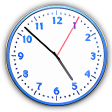
Free Desktop Clock is a downloadable digital desktop clock application developed by Drive Software Company. This desktop application is designed to enhance the timekeeping experience on your computer while allowing users to express their personal style through customization. While it is available as a free download, there is an optional paid version that offers more advanced features.

Numerous customizable options

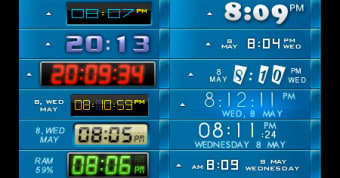
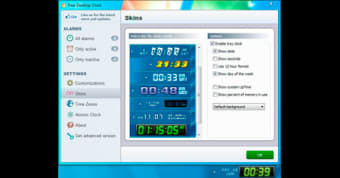
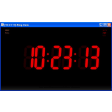
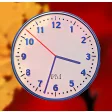
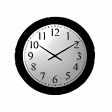
One of the standout aspects of Free Desktop Clock is its remarkable range of customization options. Users can select from several themes and skins, which include both modern and retro styles. On top of that, it functions as an enhanced substitute to the default system clock, providing users with additional features such as calendar integration and time synchronization. Additionally, the clock offers a dual display feature, showcasing both date and time, which greatly enhances its usability compared to the standard operating system clock.

Much more than a standard clock

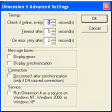
Free Desktop Clock goes beyond simple timekeeping by integrating a fully customizable calendar feature. This allows users to tailor their time management according to personal and professional preferences. Synchronization with atomic clock servers ensures that the displayed time is accurate to the second, catering to users who prioritize precision for scheduling or other time-sensitive tasks. This application is suitable for various use cases, whether for enhancing personal desktop aesthetics or serving as a reliable tool in professional environments.

A balanced utility for all users

Free Desktop Clock is a lightweight and customizable accessory for users seeking both personalization and functionality. Its ability to synchronize with atomic clocks provides accurate timing, making it a solid choice for personal use and business applications. The extensive selection of customizable skins allows for a unique desktop experience. However, users should be aware that while the free version offers a comprehensive foundation, some advanced features may not be accessible.
Chantelle van Heerden

    With over 12 years in marketing and project management, she has led digital campaigns, events, and design projects for international clients. Alongside her agency work, she has contributed written content across multiple formats, combining professional expertise with a passion for communication and creative storytelling.

    • Pros

      • Vast customization options
      • Dual display feature
      • Atomic clock synchronization
    • Cons

      • Windows-only compatibility
      • Limited features in free version
     0/2

    App specs

    Program available in other languages


    User reviews about Free Desktop Clock

    3.6

    1 reviews

    Add review

    Main reviews for you

    • Anonymous user

      Wide character display truncation!. I love the Free Desktop clock. GR8 display choices , but having truncation issues in Windows 10. Just inquired to Softonic Support. Hopefully fix is coming. Pros: Display choices are GR8! Cons: Wide display truncation in WIN 10

    More

    You may also like

    Alternatives to Free Desktop Clock

    Explore Apps

    Latest articles

    Laws concerning the use of this software vary from country to country. We do not encourage or condone the use of this program if it is in violation of these laws.
    Softonic

    Is Free Desktop Clock safe?

    99/100

    Score result: Clean

    This file passed a comprehensive security scan using VirusTotal technology. It is safe to download.

    • Virus free
    • Spyware free
    • Malware free
    • Verified by Security Partners

      VirusTotal logo

    Scan Info

    Last scan
    Saturday, December 2, 2023
    Scan provider
    VirusTotal · Full report

    File Integrity

    File
    freeclock.exe
    SHA256
    3e02b6cdd04aabb7419a6f672bacd783eafbaab6a3cf319be7e95f834cb6fb0c
    SHA1
    4d1169f43fcfa2cbcdec1d599de3f87e9f9ec2cf

    Softonic security commitment

    Free Desktop Clock has been thoroughly scanned by our advanced security systems and verified by industry-leading partners. This file comes from the official developer and has passed all our security checks, showing no signs of viruses, malware, or spyware. For more information, visit our Security and Trust Center